Adding the Optional Consent Checkbox (Before Checkout)
Note: This feature is only available for before checkout. If you are doing verifications after checkout, enabling the consent checkbox will have no effect on the verification flow.
How Does The Consent Checkbox Work
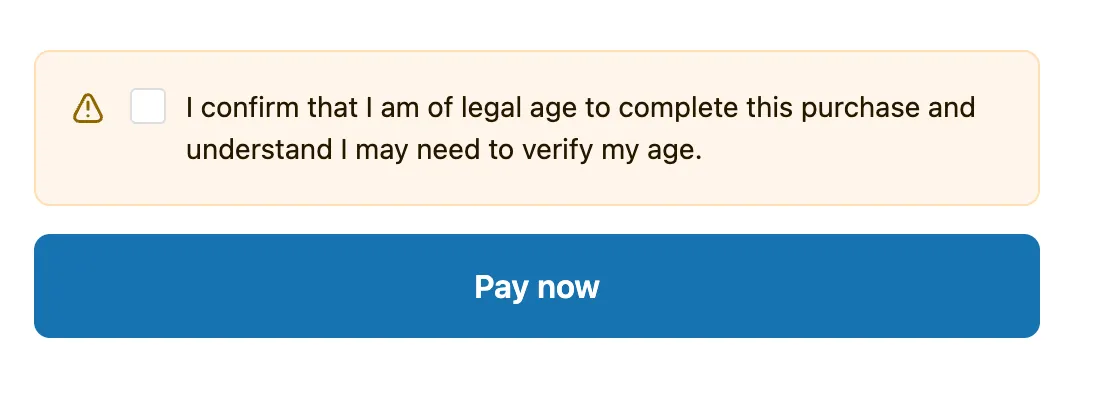
Normally, BlueCheck automatically verifies the information entered by the customer during checkout with out prompring the customer for any additional clicks or information. If you enable the Consent Checkbox, the verification will not be performed until the customer clicks the checkbox agrreing to be verified.
Enabling The Consent Checkbox
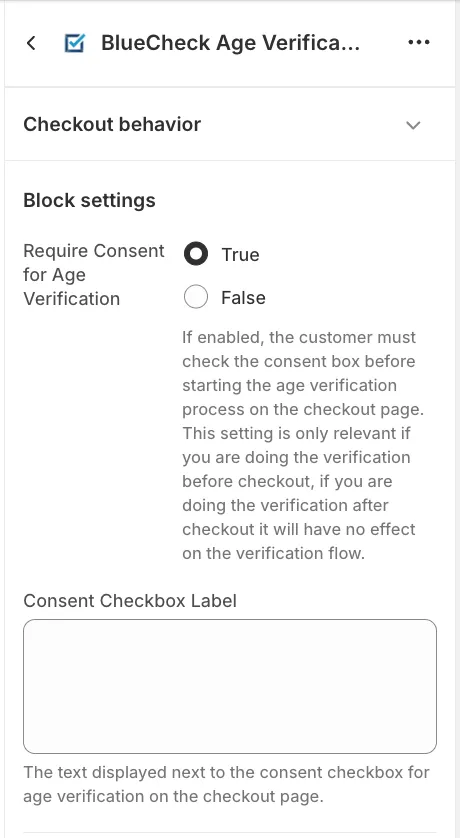
To enable the Consent Checkbox go to the checkout section of the checkout customization editor. This can be found by going to the Configuration sections of the Checkout Settings page and clicking Customize. You should see BlueCheck Age Verification listed in the checkout elements on the left hand side of the screen. Select True to enable the Consent Checkbox. You can also change the default copy for the Consent Checkbox using the text field.